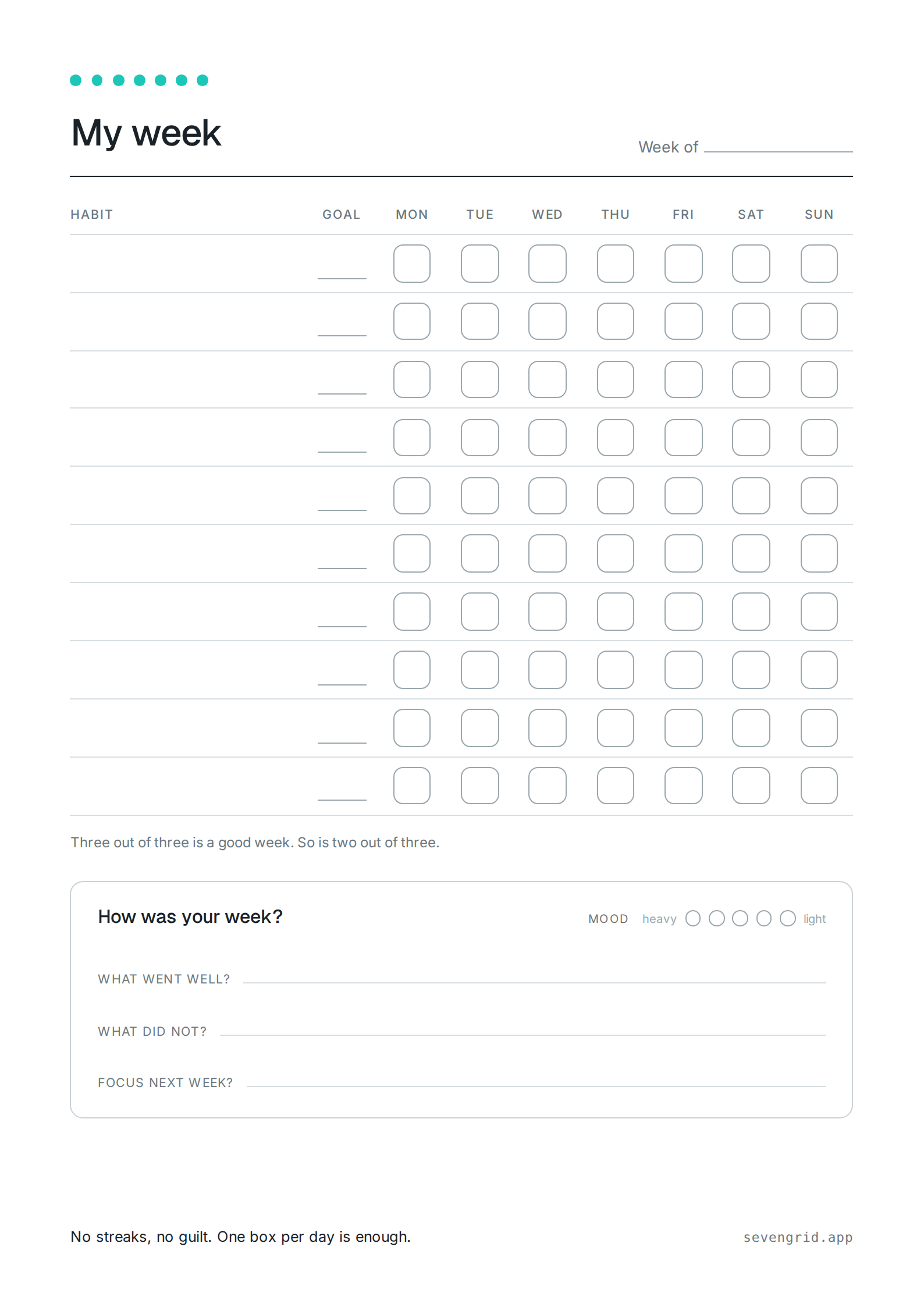
An empty week on one sheet of paper: seven columns for the days, one row per habit, one box per day. Use it as a no-frills weekly planner or as a habit tracker on paper. It prints on A4, US Letter, A5 or Half Letter straight from your browser, and the preview follows every switch. Week start and paper size come preset from your language settings. Every mark on the sheet has an off switch, and nothing you type is uploaded or stored.
One habit per line, with an optional goal after a vertical bar: Reading | 3x. Left empty, the sheet prints blank lines to fill in by hand. Whatever you type stays on your device; it only travels with the link if you tick that box.
The goal column is off, so the goals after the bar are not printed.
Your browser's print dialog opens. Paper size {paper}, margins set to “none” or “default”. It also offers “Save as PDF” if you want your settings as a file.
Or grab the ready-made files: Weekly grid as a PDF (A4) Weekly grid as a PDF (US Letter) Weekly grid as a PNG
Licence: the grid without the logo, the closing line and the address line is licensed under CC BY 4.0. Copy it, change it, pass it on, in lesson collections and OER repositories too; crediting “SevenGrid, sevengrid.app” is all it asks. The logo and the wordmark stay out of it. Unbranded files: A4 and US Letter.
An empty box is not a failure here, it is an empty box.
What is on the sheet
A date line at the top. Below it the table: your habits down the left side, an optional narrow goal column, then seven boxes across. The footer carries a closing line and the app's address; both have their own switch.
The weekly review is optional and identical to the one in the app: tick a mood, answer three short questions. Two quiet minutes on a Sunday are plenty.
Why the sheet is this empty
No counters, no percentages, no month view where a missed day glows red. Which is exactly why the sheet survives a week that goes sideways.
And if you want it digital
SevenGrid is the same idea as an Android app: seven days side by side, no streaks, no account. This template stays free whether or not you ever install it. The story behind the no-streaks part is in the essay. More about SevenGrid.
Also free to take: the wallpapers from the app mockups, in all twenty themes. To the wallpapers.
Common questions
How do I save the sheet as a PDF with my settings?
The “Print the sheet” button opens your browser's print dialog. Choose “Save as PDF” there instead of a printer and the file comes out with exactly your settings. The ready-made downloads further up are the standard version.
Does the sheet print without the logo and the address?
Yes. The logo, the closing line and the address line each have their own switch under “Branding”. Turn all three off and nothing but the grid and the review is left; there is no hidden watermark.
Why is the left margin wider than the right one?
That is the punch margin. It keeps the holes of ISO 838, US 3-ring and the Filofax six-hole systems clear of the content. Without it the sheet sits centered again.
Which size fits my planner?
A5 fits most ring binders and Filofax organizers, Half Letter fits the US systems. “Two per page” prints the small sizes in pairs on A4 or US Letter, ready to cut apart along the dashed line.
Are my habits sent anywhere?
No. Everything happens in your browser. The title and the habits only travel with the shared link if you tick that box next to the copy button.
Can I hand the sheet out in class, in a course or in a resource collection?
Yes. The grid without the logo, the closing line and the address line is licensed under CC BY 4.0: copy it, adapt it and pass it on, OER repositories included, as long as “SevenGrid, sevengrid.app” is credited. The logo and the wordmark are not part of that. The unbranded PDFs sit next to the other files; for your own settings, turn off all three switches under “Branding” and save as PDF.